
Kill the Bill – Fisheries Amendment Bill 2026
Thank you for building your submission.
To submit your submission, please follow the instructions below to copy your submission into the parliamentary submission page.
Step 1
Go to the parliamentary submission page by clicking here.
Step 2
Follow the instructions and select whether you’re submitting as an individual or an organisation. If you would like to make an oral submission to the Select Committee (which we encourage you to do), select yes. Then hit ‘Next‘.
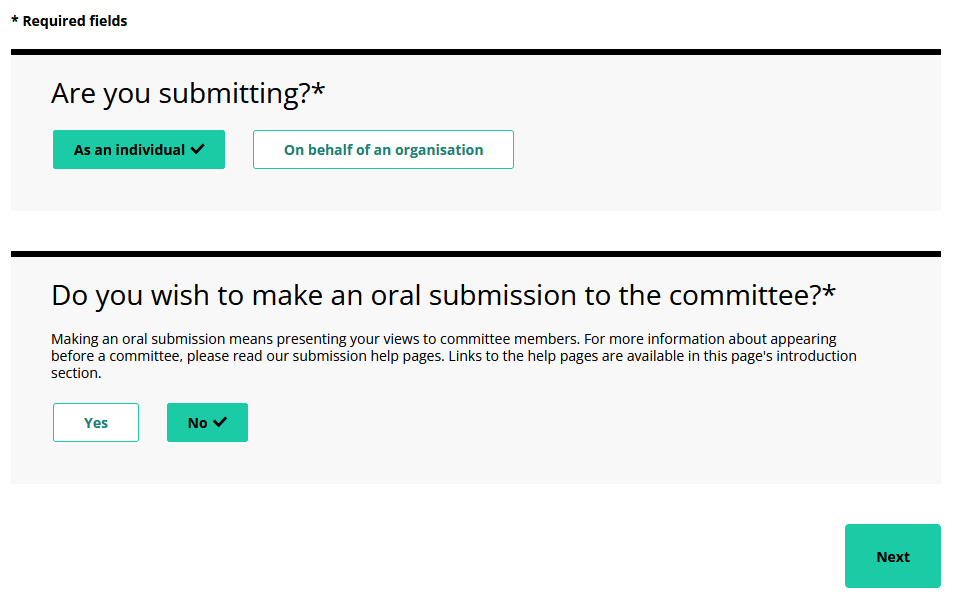
Step 3
Enter your personal or organisational details depending on your selection from Step 2. Then hit ‘Next‘
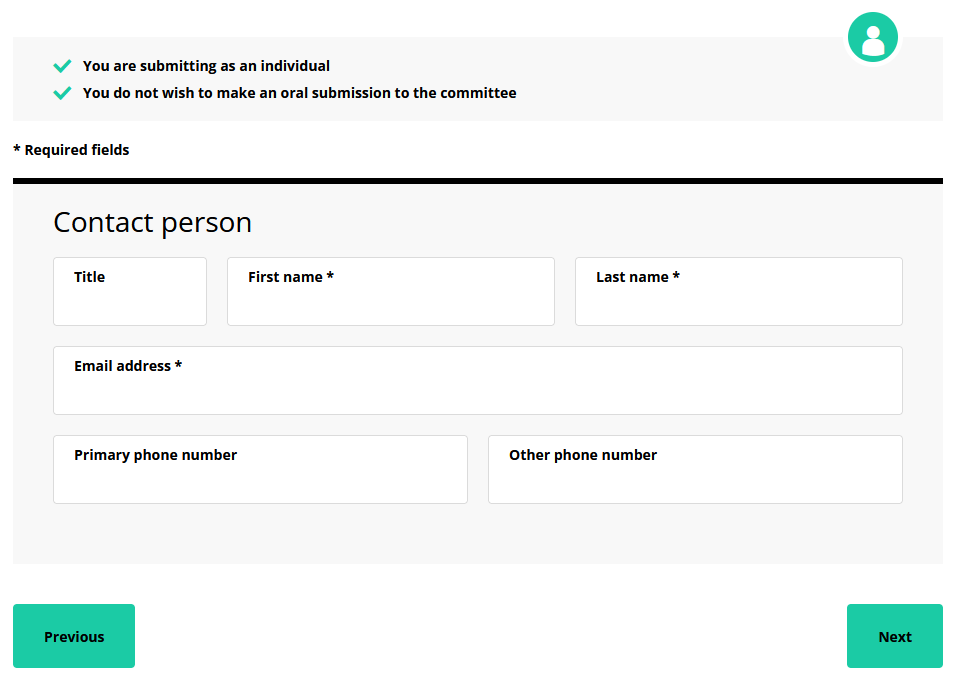
Step 4

When you reach Part 2, ‘Your Submission’, scroll down to ‘Or complete the submission form below‘. This is where you will enter the submission you built.
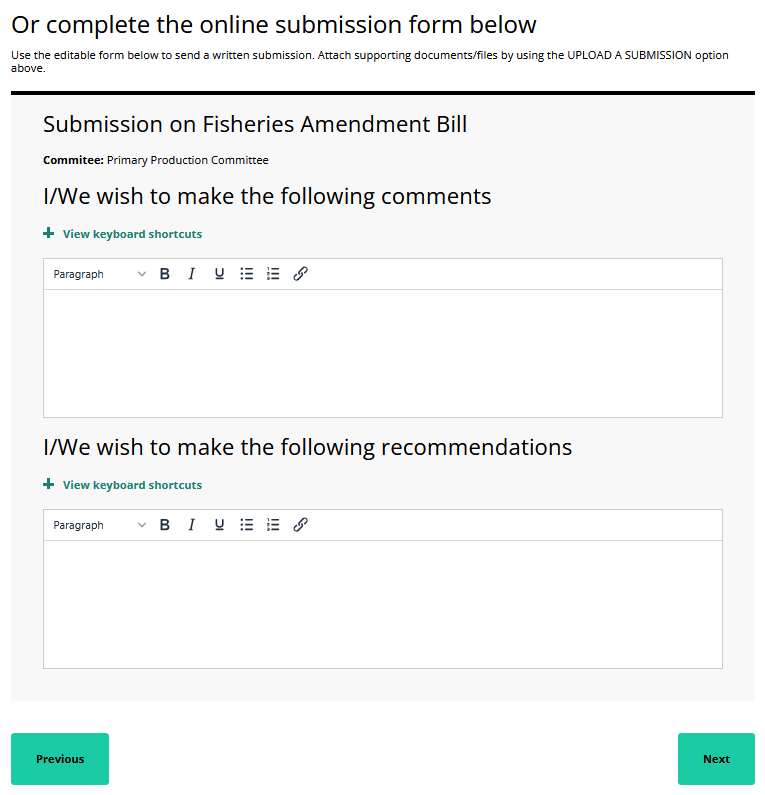
Under the textbox below, click the ‘Copy Text’ button.
Return to the submission webpage and paste the copied text of your submission into the ‘I/We wish to make the following comments‘ textbox.
You can paste your copied text by clicking anywhere in the textbox and using your keyboard, and pressing Control and V on a Windows PC or Command and V on an Apple computer.


On a phone, you can paste text by tapping twice on the empty form field and selecting ‘Paste’.
Step 5
Under the textbox below, click the ‘Copy Text’ button.
Return to the parliamentary submission webpage and ‘paste’ the text of your submission into the ‘I/We wish to make the following recommendations‘ text box.
Step 6
Stay on the parliamentary submission webpage and follow the instructions to complete your submission.